
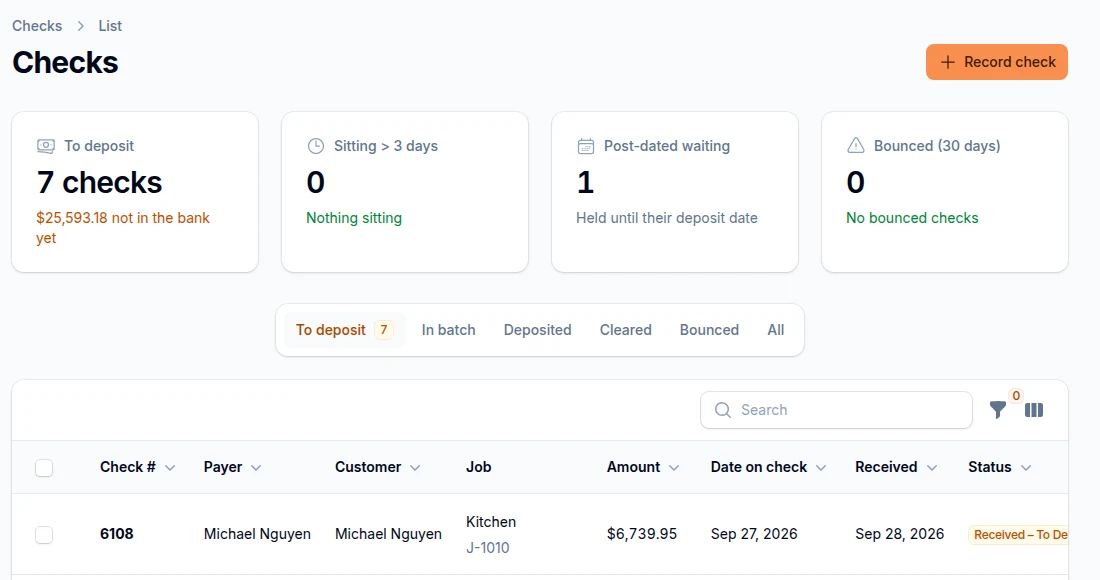
Know where every check is.
Snap the front and back, and SlabBoard tracks it from received to deposited to cleared. Post-dated and bounced checks are flagged before they cost you.
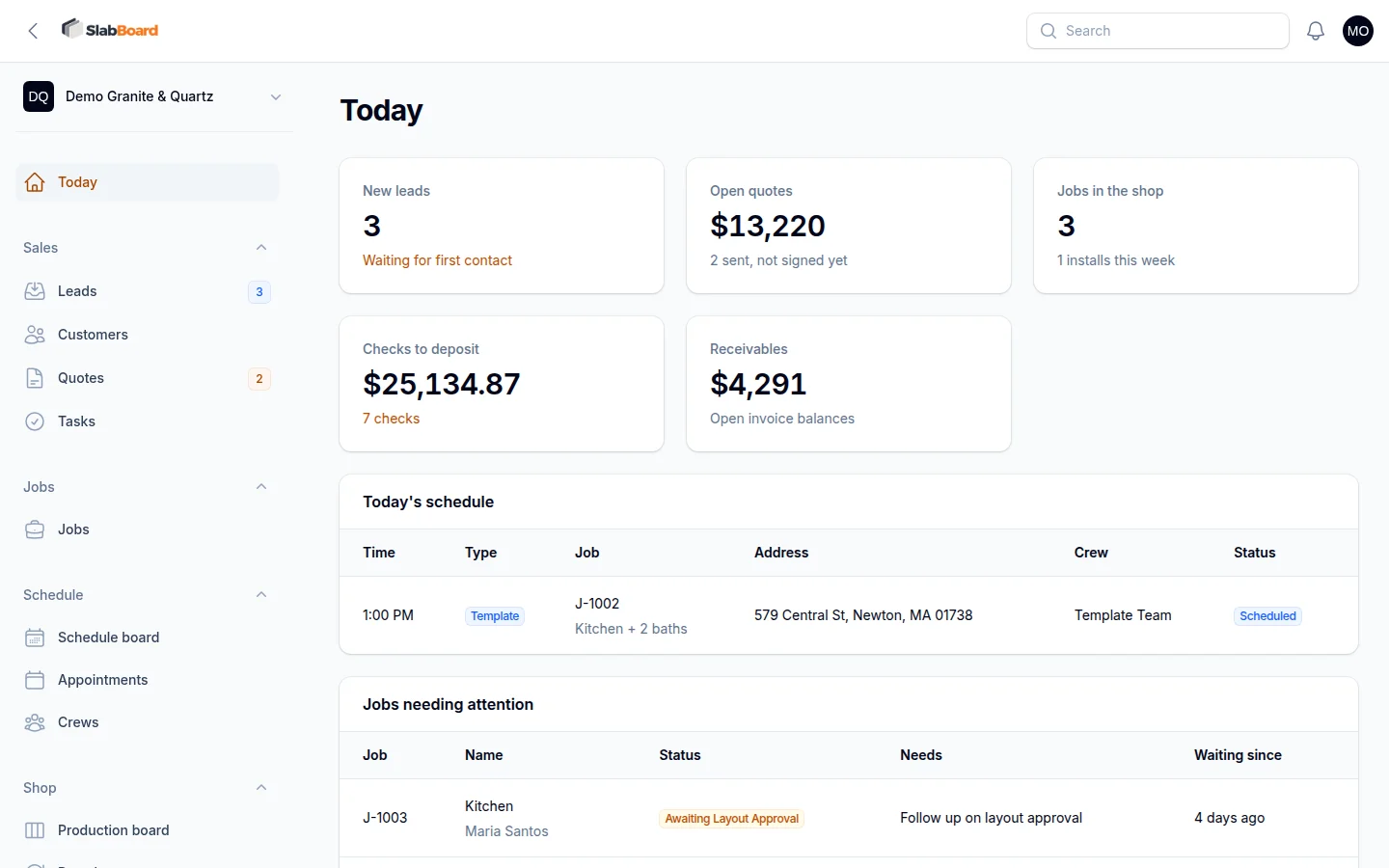
Quotes, templating, the shop, installs and payments in one place. Built for granite and quartz fabricators.
How it works
Every step moves the job forward on its own, so nobody has to ask the office where things stand.
Enter pieces in inches, price by the square foot and offer two or three materials side by side.
The customer approves and signs from a link. The deposit invoice goes out on its own.
Book the templater, attach the Prodim or LT-55 file and flag sites that are not ready.
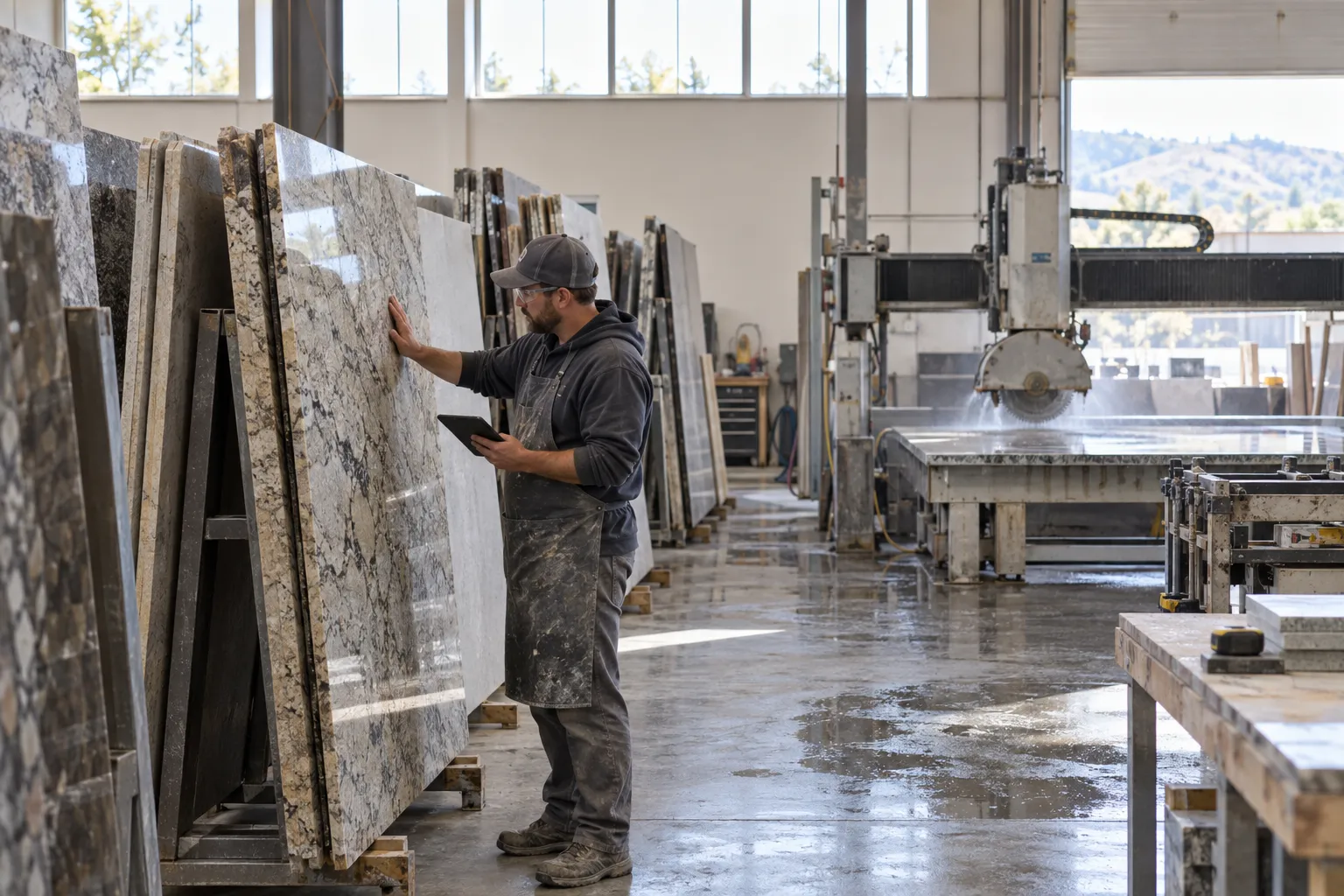
Reserve slabs, get layout sign-off and move the job through saw, CNC and polish.
Crews see their day on the phone, take photos and collect the customer sign-off.
Send the final invoice and follow every check until the bank clears it.
Snap the front and back, and SlabBoard tracks it from received to deposited to cleared. Post-dated and bounced checks are flagged before they cost you.
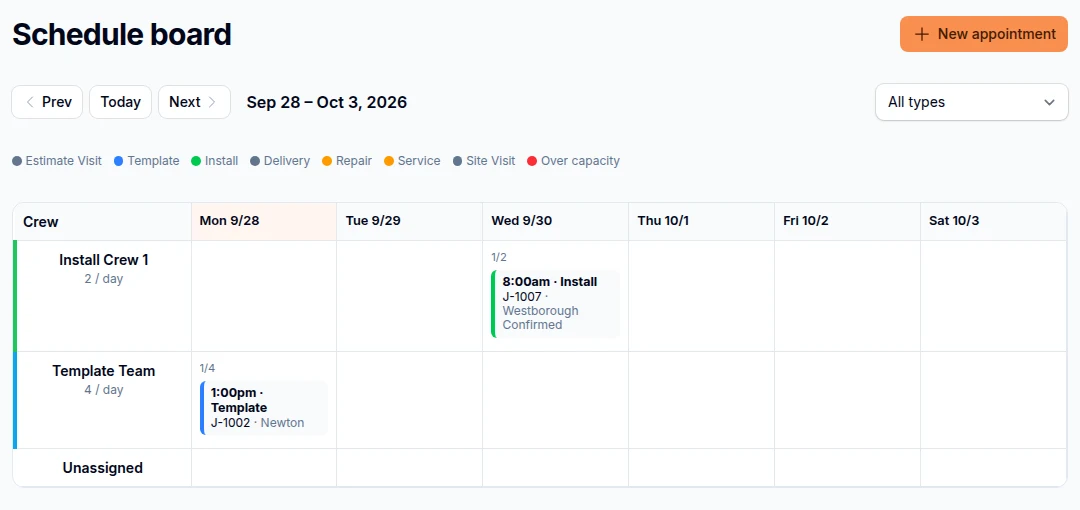
Templates and installs by crew, with daily capacity so nobody gets double-booked.
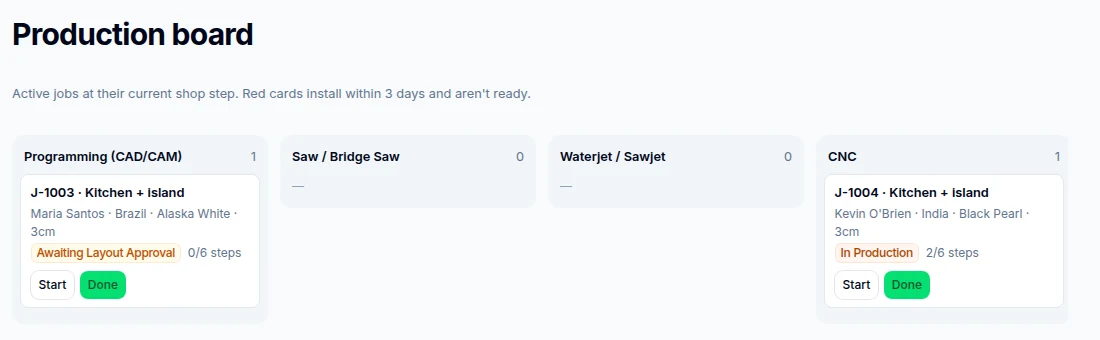
Programming, saw, CNC, polish. Jobs that install soon and are not ready turn red.
Office, sales, templaters, installers and the shop. Unlimited users, always included.
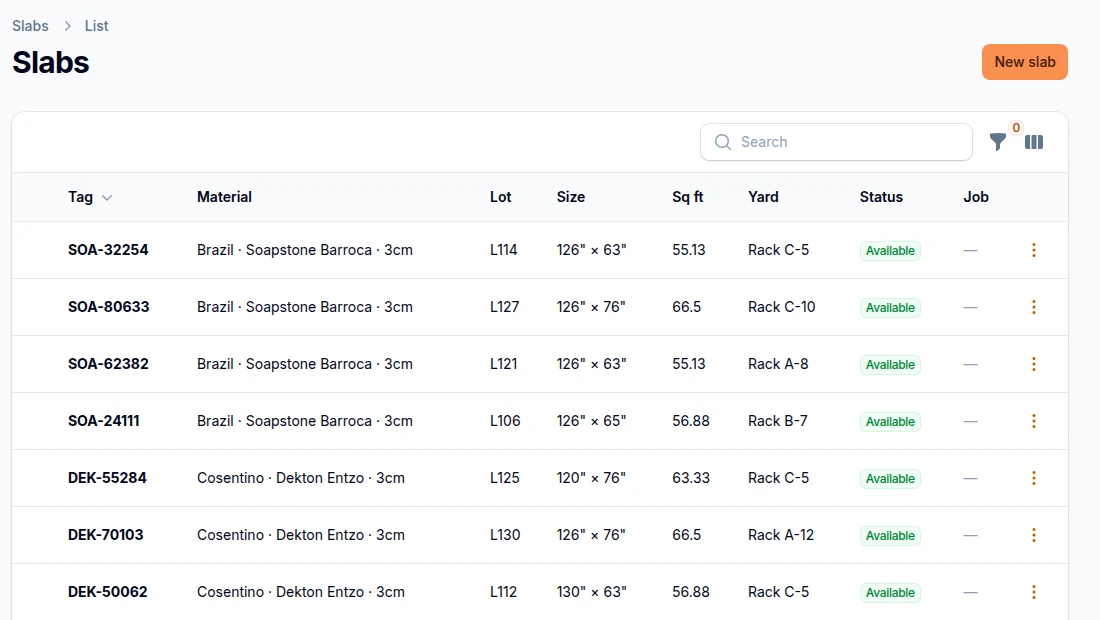
Reserve slabs for a job and get warned when they come from different lots.
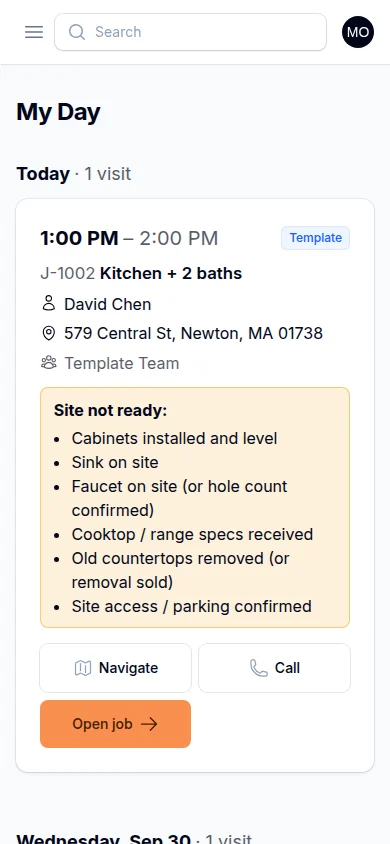
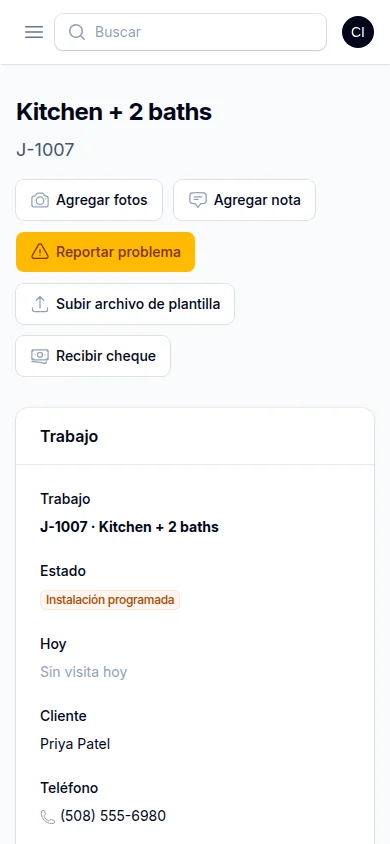
Installers and templaters use SlabBoard in their own language. Notes and punch items show up in English for the office, with the original kept.
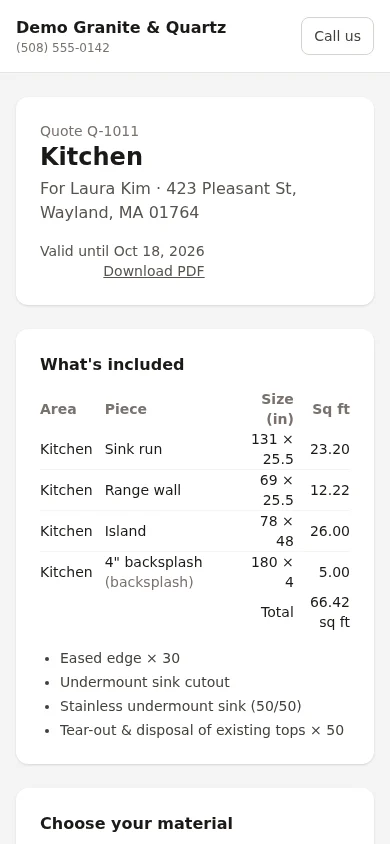
They get one link for each thing you need from them and sign on their phone, with your shop's name and logo on it.
Approve the quote
Approve the slab layout
Pay the invoice
Drawing & slab layout
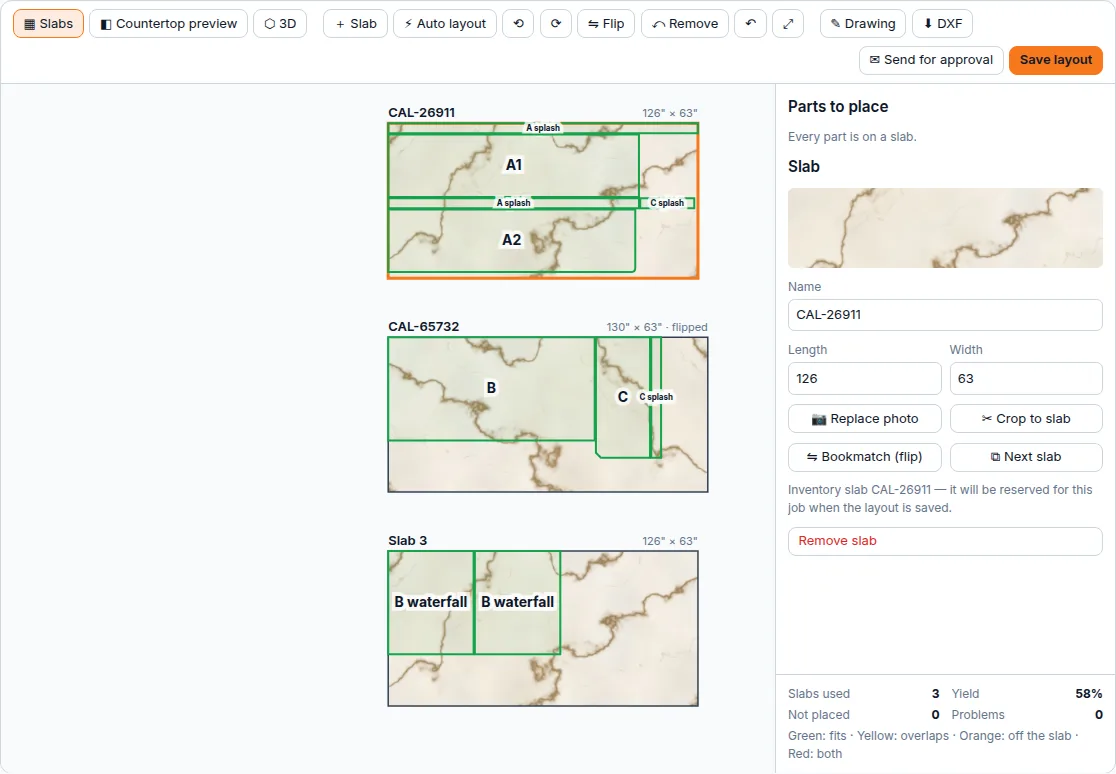
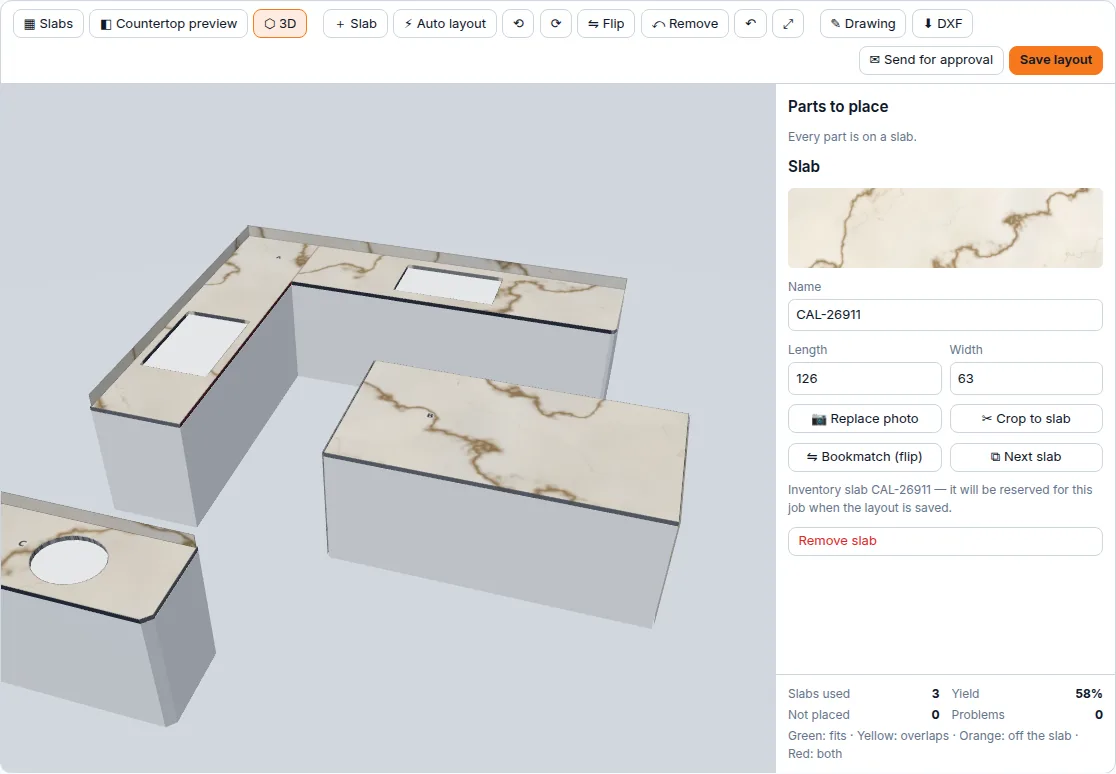
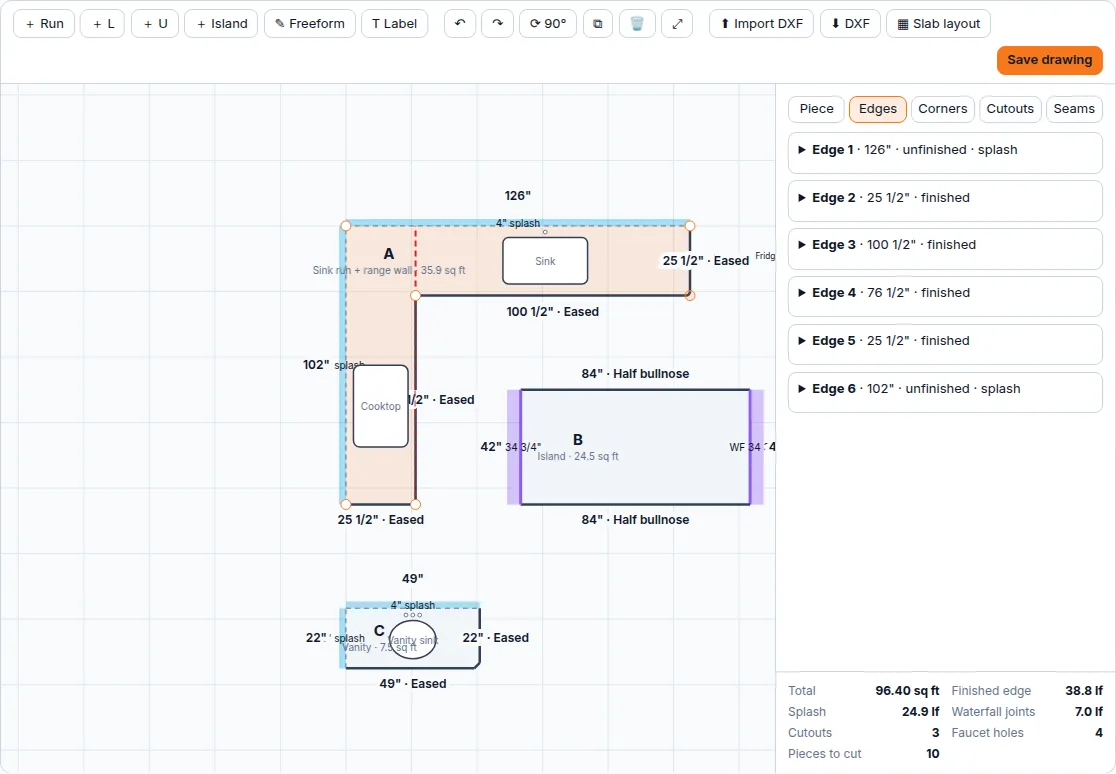
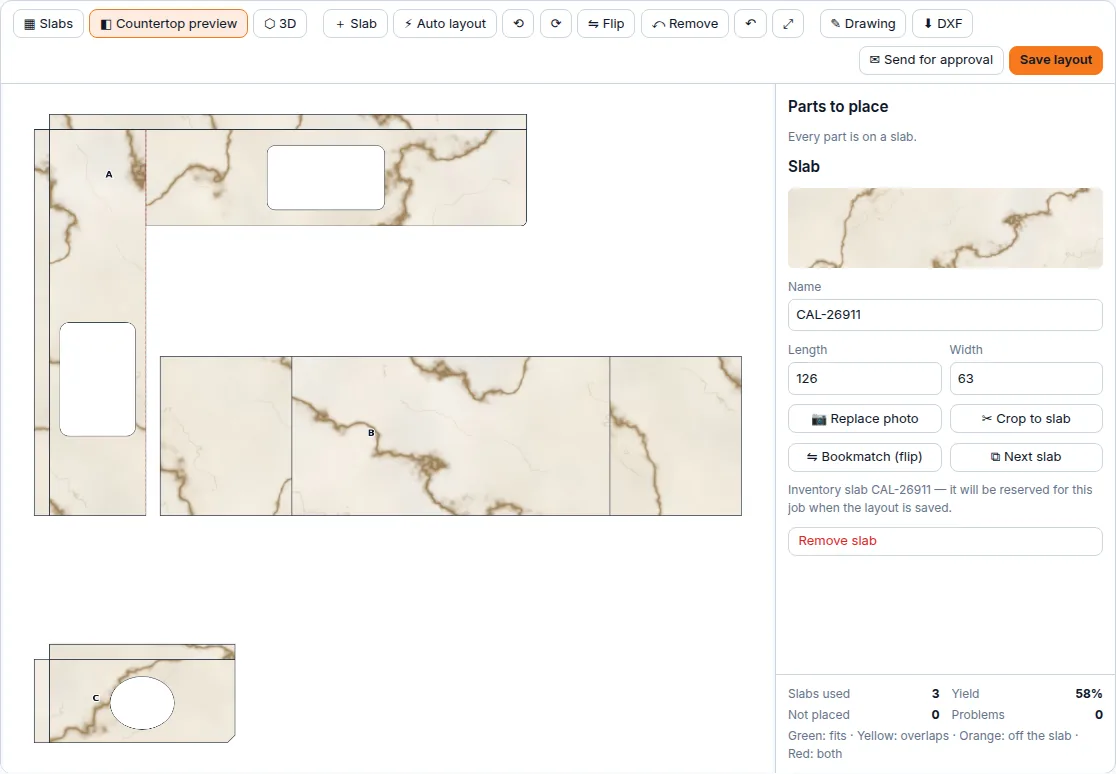
Sketch runs, L's, U's, islands or any shape with exact dimensions. The square footage, edges, splash, waterfalls and cutouts price themselves. Then drag every piece over a photo of the actual slab, match the veining, and let the customer see their countertop before you cut.
Online payments
When the crew collects the check at the door, they also see what you charge for every kitchen. Send the invoice link instead. The customer pays by card or bank transfer, and the money goes straight to your own Stripe account.
Job prices stay in the office
Installers install. Nobody on the truck handles payments or sees the totals.
Deposit the minute they sign
Right after approving the quote, the customer can pay the deposit online.
Bank transfer for big jobs
ACH costs far less than cards on a $9,000 kitchen, and it only counts once the bank confirms it.
Recorded on its own
The payment lands on the invoice and you get a notification. Nothing to deposit or chase.
Still getting checks? Keep them. SlabBoard tracks every check from the door to the bank too.
No. Unlimited users are always included, so your installers, templaters and shop guys can all have their own login.
Yes. Each person picks English, Portuguese or Spanish in the field app. Notes they write are translated to English for the office, and the original is kept.
Yes. Record a check with photos of both sides, group checks into a deposit, and mark them cleared or bounced. A bounced check puts the balance back on the job automatically.
Yes. Connect your own Stripe account and every invoice link gets a "Pay online" button for card or bank transfer (ACH). The money goes straight to your Stripe account, the payment is recorded on the invoice, and your crew never has to carry a check.
Yes. Draw any shape with exact dimensions and the quote prices itself: square feet, edges, splash, waterfalls and cutouts. Then lay the pieces on photos of your actual slabs, match the veining, and send the customer a link to approve the layout with a preview and a 3D view of their countertops.
Import the DXF from Prodim, LT-55 or Flexijet straight into the drawing, and export the pieces and the slab layout as DXF for your saw or CNC.
QuickBooks sync is coming soon. Today you can export invoices and payments, and print invoices, deposit slips and lien waivers.
New shops start with a ready price book, lead sources and crews, so you can send your first quote the same day.
A 30-minute call. We walk through a job from quote to final check, using the way your shop works today.